Comments with context
Review synced Facebook and Instagram comments with their ad or post context, sentiment and engagement filters.
For brands & agencies on Meta
Manage Facebook and Instagram comments with the ad or post in view. Review AI-assisted replies, manage supported comments and bring your ad results into the conversation.
New customers: card required. Then Standard is $19.95 USD/month, tax included, billed automatically. Cancel in Billing before your trial ends to avoid the first charge. Compare plans.
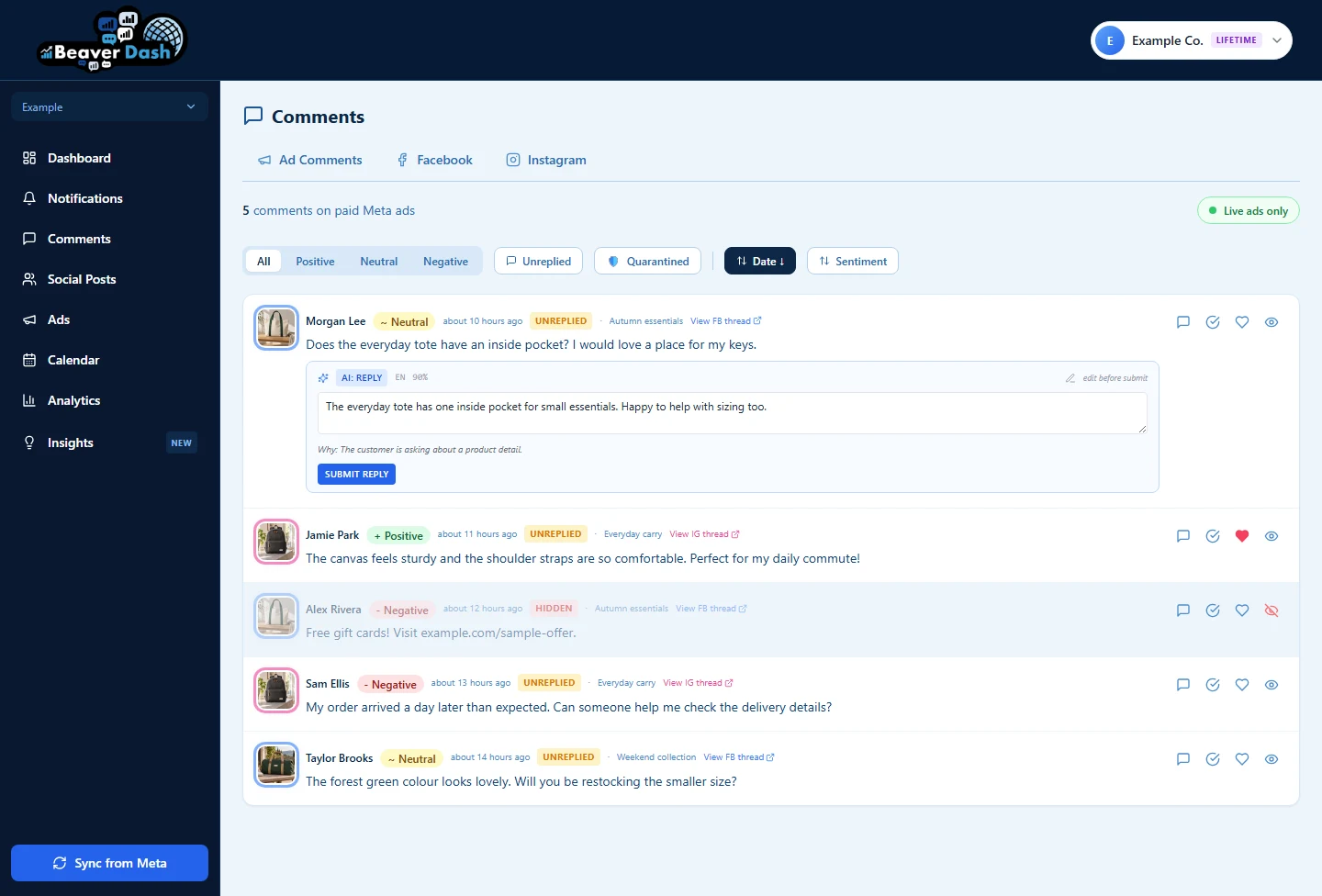
Review synced Facebook and Instagram comments with their ad or post context, sentiment and engagement filters.
Hide and unhide supported comments. Review visibility states and configured moderation rules.
Use AI suggestions and supported translations as a starting point. Review and edit before sending.
Review synced ad reporting, social posts and calendar views, plus available monthly account insights.
A closer look
Actual product screens, using fictional Example Co. data. Ad photographs are AI-generated examples; figures illustrate the interface, not customer results.
01 / Conversations
See the question and its source together. Find unreplied comments, review sentiment and hide or unhide comments where the connected platform supports it.
Use AI reply suggestions as a starting point. Check the wording, edit it for your brand and send it yourself. For supported translations, check the original too.
Reply suggestions do not send themselves. Configured auto-moderation rules can act on supported comments; review your rule settings.
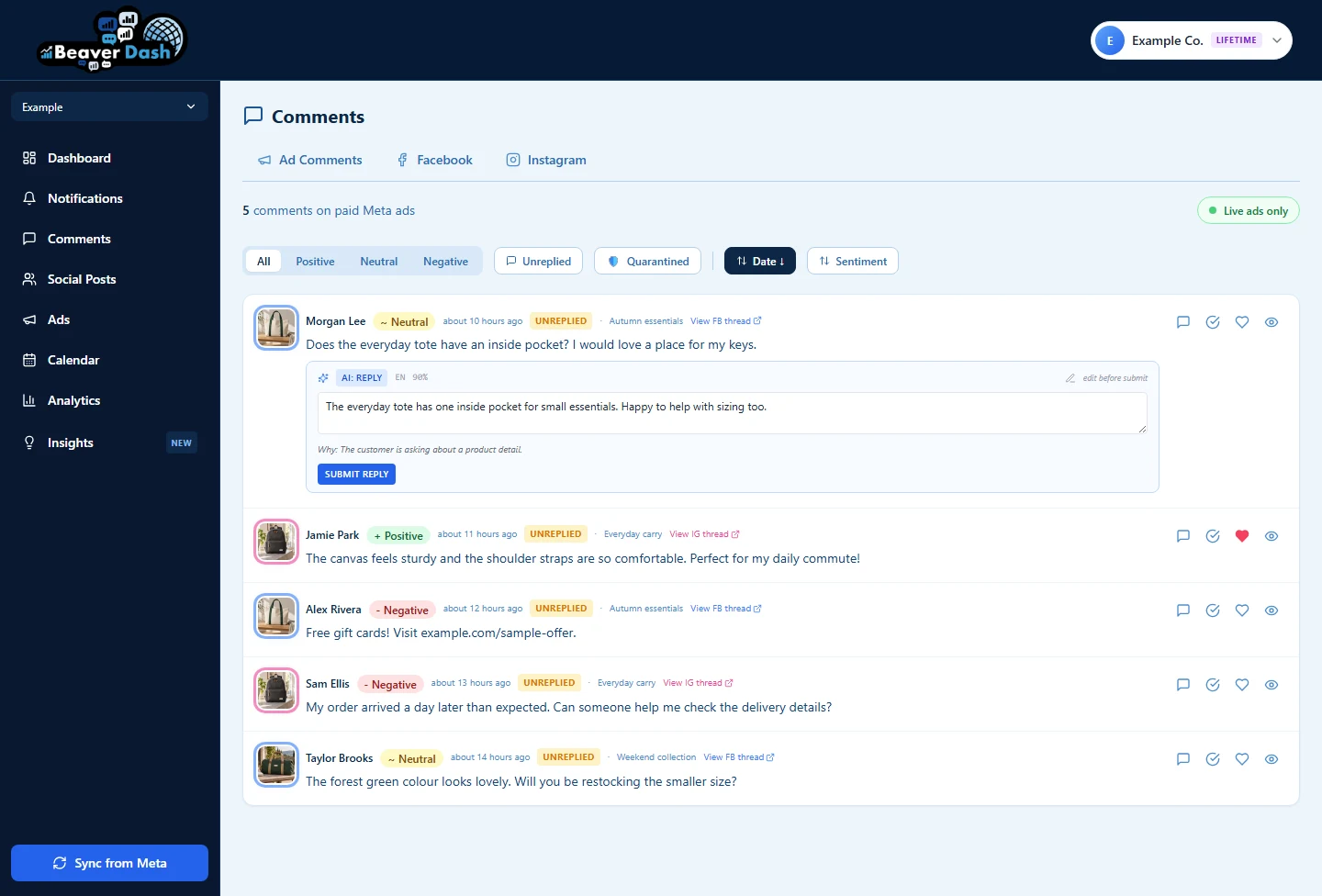
Example data showing the available visibility controls. View full-size before image ↗
02 / Ad context
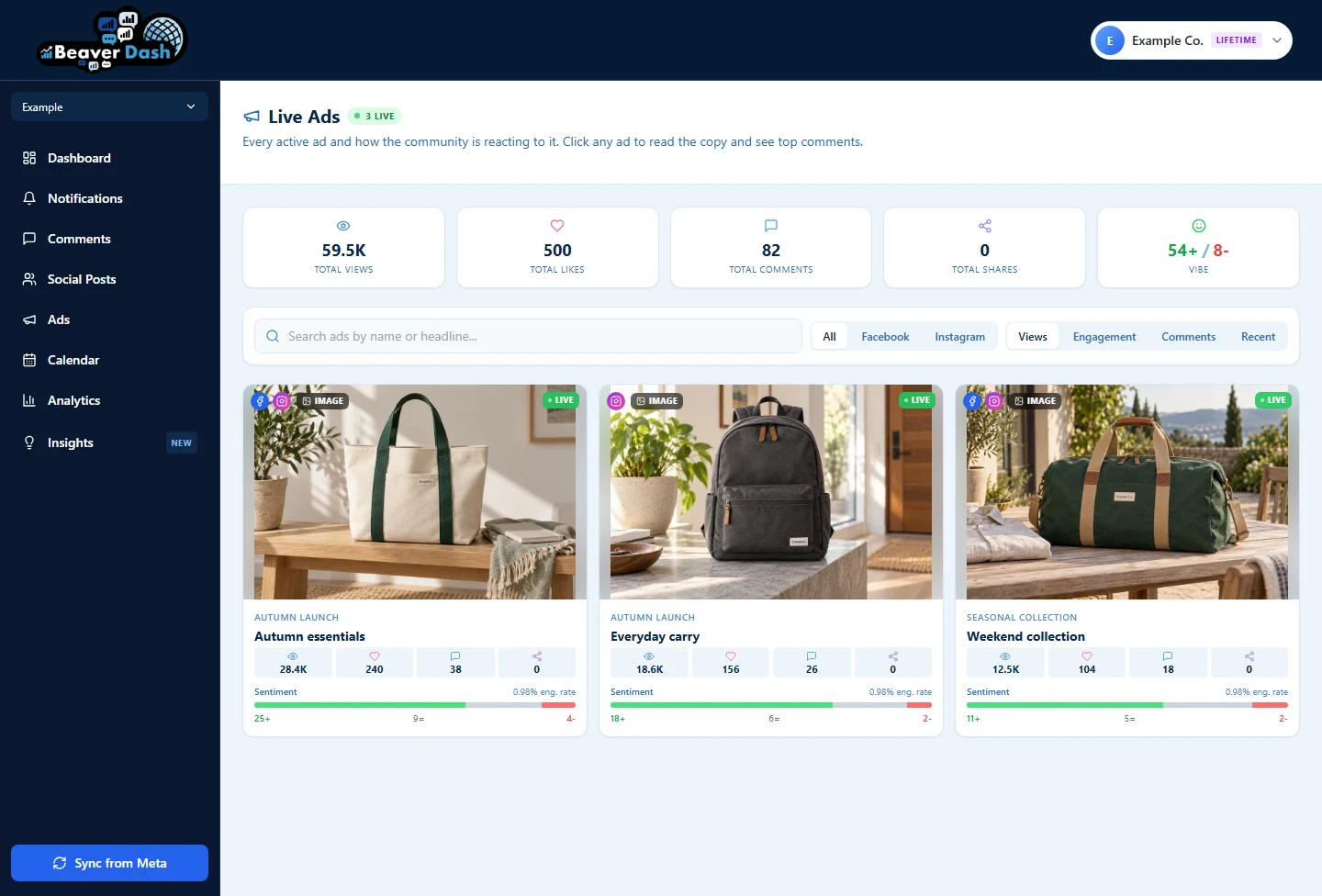
Review active ads alongside synced engagement figures and comments. Explore the ad context before deciding how to respond.
Managing several accounts? Switch accounts for ad reporting without mixing up the results.
This is ad reporting. Ad creation and pause controls are not part of this workflow.
03 / Monthly perspective
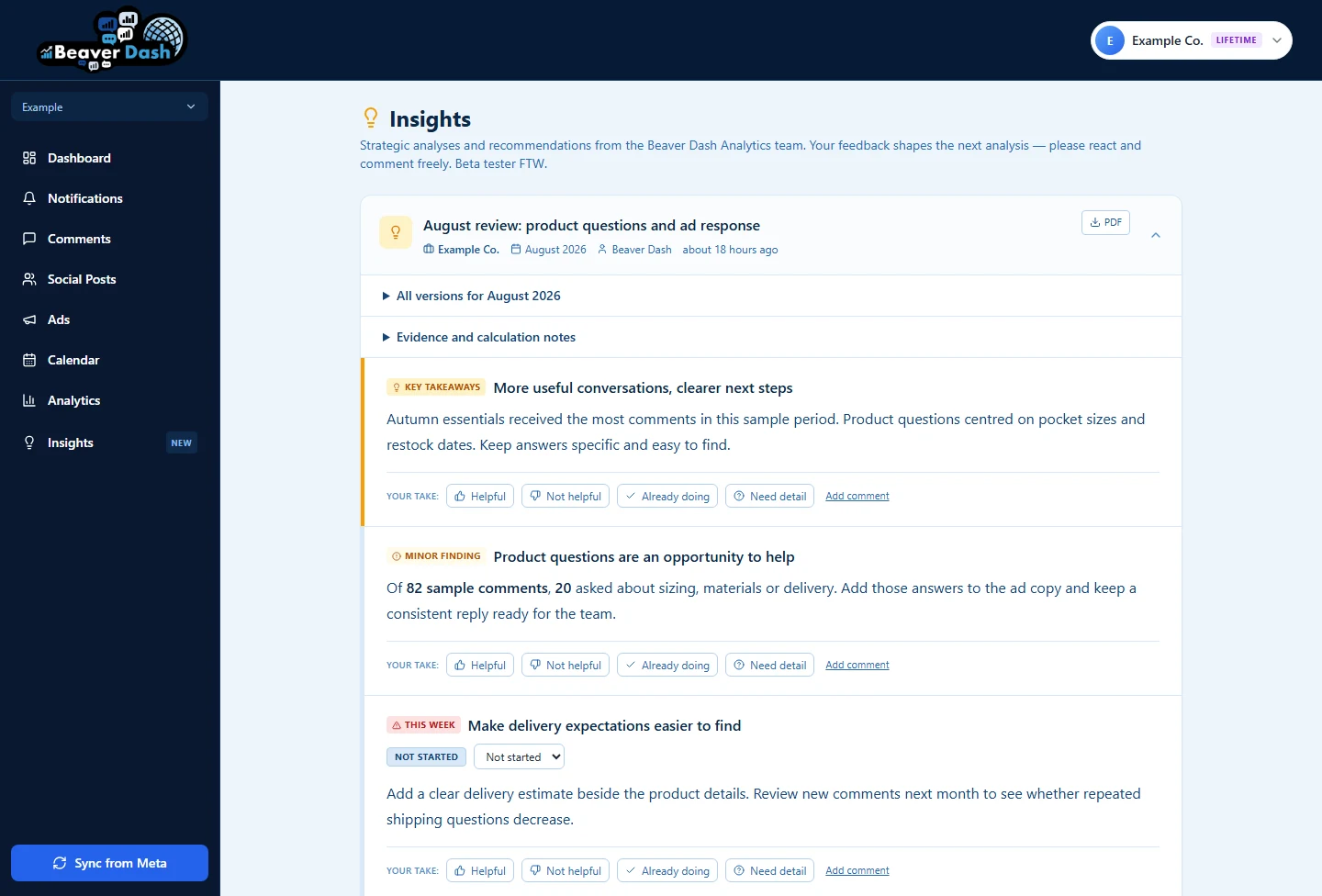
Read available monthly account insights for key takeaways, findings and recommendations. Add feedback and track progress on the work you choose to take forward.
Reports depend on available data and report readiness. AI analysis can be incomplete or mistaken; review it before acting.
How it works
One place to review the conversation and the work behind it.
Authorize access through Meta, then select the assets you’re permitted to manage. Available data depends on your permissions and account setup.
Read synced comments alongside their ad or post context. Use sentiment and supported translations to help you decide what needs attention.
Edit suggested replies before sending. Manage supported comment visibility and review ad reporting and available monthly insights.
Syncing runs on a schedule. Connection permissions, data availability and analysis limits can affect what appears and when.
Your work, at your scale
Brands & small teams
Use comment context and reply suggestions to help answer questions about what you sell. Standard provides the core workflow for one ad account.
Explore StandardAgencies
Start with three ad accounts, switch between their ad reports and review a separate monthly report for each account when available. Add capacity as your client work grows.
Explore AgencyPlan capacity counts ad accounts, not team-member seats. Organic comments belong to authorized Pages and may span more than one Page.
Simple monthly plans
New customers get 14 days free. Card required. All prices are in USD, billed monthly after the trial, with tax included.
One ad account
$19.95 USD / month
Comment management, analysis and reporting for one Meta ad account.
Card required. After 14 days, $19.95 USD/month is charged automatically. Cancel before trial end to avoid the first charge. Tax included.
Three ad accounts, room to grow
$49.95 USD / month
The Standard workflow with capacity for several ad accounts.
Card required. After 14 days, $49.95 USD/month plus selected extra accounts is charged automatically. Cancel before trial end to avoid the first charge. Tax included.
Choose a plan, create your account and verify your email. Your trial begins when you complete Stripe Checkout with a card. Stripe shows your selected monthly total and first billing date. Your subscription renews monthly until cancelled. Manage or cancel it in Beaver Dash Billing; cancellation takes effect at the end of the trial or paid period.
Scheduled syncing, analysis and reports have operating limits and depend on connected assets, permissions and available data. Existing price commitments and lifetime grants remain unchanged. Read the subscription terms.
Tax included — the price shown is the price you pay. Extra Agency ad accounts are $14.95 USD each per month.
Before you connect
Beaver Dash works with supported Facebook and Instagram comments through connected Meta assets. You need access to the relevant ad accounts and Pages; Instagram availability depends on the connected professional account and its permissions. Standard includes one ad account, and Agency includes three with paid extra capacity. Not every comment type or action is available through Meta.
A Meta account with the required access to the assets you want to manage. You authorize access through Meta; Beaver Dash does not ask for your Meta password. Permissions can change or expire, so you may need to reconnect. Data is synced on a schedule, not continuously.
Reply suggestions are drafts for you to review, edit and send. Separately, configured auto-moderation rules can act on supported comments. Check those settings before use. Manual actions depend on platform support and your permissions; AI analysis and translation can be wrong.
New customers can try their selected plan for 14 days after completing Stripe Checkout with a card. After the trial, the selected monthly total is charged automatically unless you cancel beforehand in Billing. Standard is $19.95 USD/month for one ad account; Agency is $49.95 USD/month for three, plus $14.95 USD/month per extra account. Tax is included. Returning customers do not receive a new trial simply by resubscribing.
Once eligible data has synced, analysis may still be pending. Monthly reports depend on available data, readiness checks and report availability. A newly connected account may not have a completed report immediately.
Email support@fatloon.com for product help. For access to or deletion of your personal data, use the data request form. Beaver Dash is operated by FatLoon Corporation; see the Privacy Policy for details.
Make room for the conversation
Try Beaver Dash with the Meta assets you manage.
New customers: card required. Then Standard is $19.95 USD/month, tax included, charged automatically. Cancel in Billing before trial end to avoid the first charge. Compare Standard and Agency.